Self-Service Kiosk

Give customers a dedicated self-service payment and check-in station

Self-Service Kiosk is built for unattended or lightly guided payment environments. It makes the most sense in lobbies, entry points, terminals, and customer-facing stations where self-service can reduce friction.

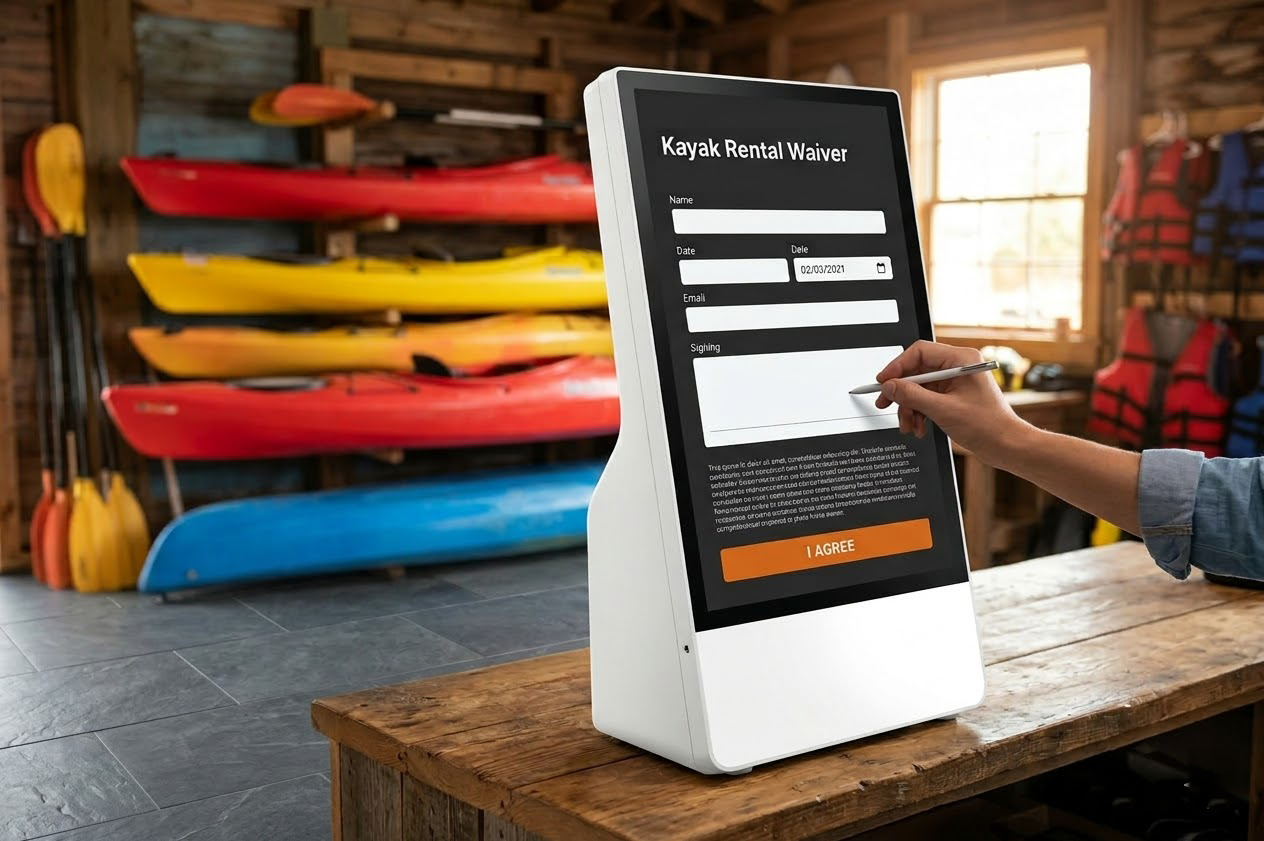
FoxPay self-service kiosk showing a customer waiver and check-in screen
A kiosk is strongest where the customer can move themselves through payment or check-in without needing a full staff handoff.

Where This Hardware Fits

Use a kiosk when the payment point should live in the environment itself

  • Fit lobbies, entry points, terminals, and customer-facing service stations.
  • Reduce dependence on a fixed staff handoff for simple payment or check-in moments.
  • Create a stronger self-service option than a sign-only payment prompt when more guidance is needed.

Best Operating Environment

  • Customer-facing spaces with consistent foot traffic.
  • Operations that benefit from unattended or lightly guided payment flow.
  • Businesses that want customers to move themselves through part of the journey.

How Payment Happens

Let the customer interact with the station directly, then support only where needed

1

Customer reaches the station

The payment or check-in point is placed where self-service makes sense in the physical environment.

2

Customer initiates the interaction

The kiosk becomes the primary payment surface instead of the front desk or a roaming staff device.

3

Staff step in only when necessary

The setup still supports guidance, but the normal flow does not require a full handoff for each transaction.

4

Connect supporting layers

Use QR or the payment foundation when the business needs adjacent collection routes around the kiosk environment.

Best For

Customer-led check-in and payment

Strongest where self-service can remove queue pressure or make the environment easier to operate.

Not For

Highly assisted, one-to-one desk interactions

If every payment requires detailed staff guidance, a front-counter terminal may be a better fit.

Tradeoff

More guided than QR, less staff-led than a counter

A kiosk sits between simple scan-to-pay and a fully staff-operated payment point.

Related Route

QR Scan-to-Pay

Use QR when the environment only needs a lighter customer-initiated payment prompt rather than a fuller station.

Explore QR Payments

Related Layer

Payment Processing

Use the broader payment foundation when the kiosk is one part of a wider mix of collection environments.

Explore Payment Processing

Related Hub

Hardware

Return to Hardware if you still need to compare self-service against terminals, roaming readers, or portable devices.

Back To Hardware

FAQ

When is a kiosk better than QR?

When the business needs a fuller customer-facing station with more guidance than a simple scan prompt can provide.

FAQ

When is a terminal better than a kiosk?

When the payment should stay staff-operated at a fixed counter rather than becoming a self-service interaction.

FAQ

Does a kiosk remove staff entirely?

No. It reduces routine handoffs, but many businesses still want staff available for support, exceptions, or higher-touch interactions.

FAQ

Can kiosks sit beside other FoxPay routes?

Yes. They often coexist with QR, terminals, or remote billing depending on how the business operates across channels.

Next Step

Use Self-Service Kiosk when the payment point should stand in the environment, not behind a desk

This device class is strongest when customers can move themselves through payment or check-in and the business wants a more complete self-service surface than QR alone provides.